If you have a public Google Calendar, this can be embedded on your site. To do this you need to get an embed code from the original calendar.
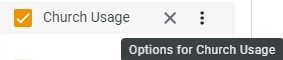
First go to your calendar list and click on the 3-dots to the right of your calendar.
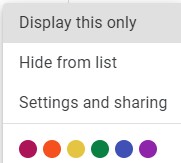
Select Settings and sharing.
On the settings page scroll down until you find Embed Code.
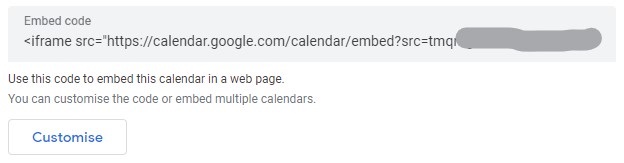
Click the Customize button to edit what will be shown. Note that in this view all available calendars are included. Be sure to uncheck any other calendars that you do not want included in the public view.
At the top of the page, the embed code will be updated as you make changes to the display options. When you’re satisfied, copy the embed code and email it to Skirrid Systems. We will then add it to the site settings and send you back a shortcode which you can include on your page. It will look something like this:
[responsive-iframe id=1 height=400 /]
Embed codes are held in a protected area of the site because they are very sensitive to change in even a single character and this is to avoid accidental breakage of the embed.